
Turn GTA 6 streams into Shorts
ViceClips finds highlights in your YouTube uploads and livestreams. Edit the cut and captions, then export vertical clips for YouTube Shorts.
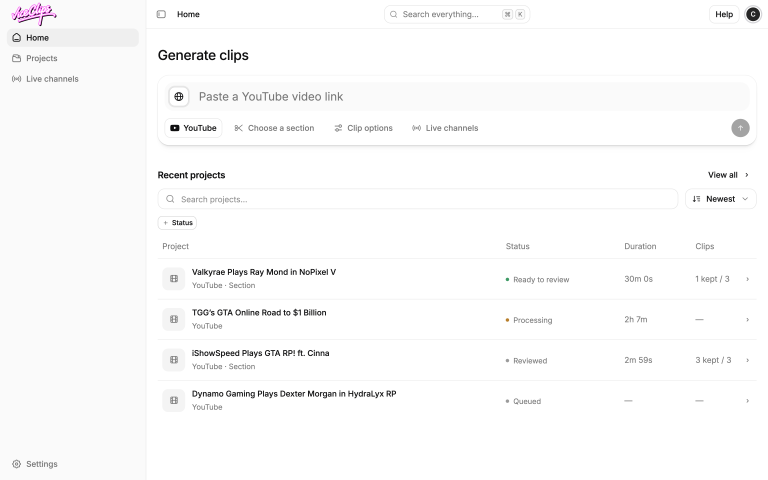
Generate clips from GTA 6 YouTube streams.
Paste a YouTube upload or stream replay. ViceClips finds highlights to review.
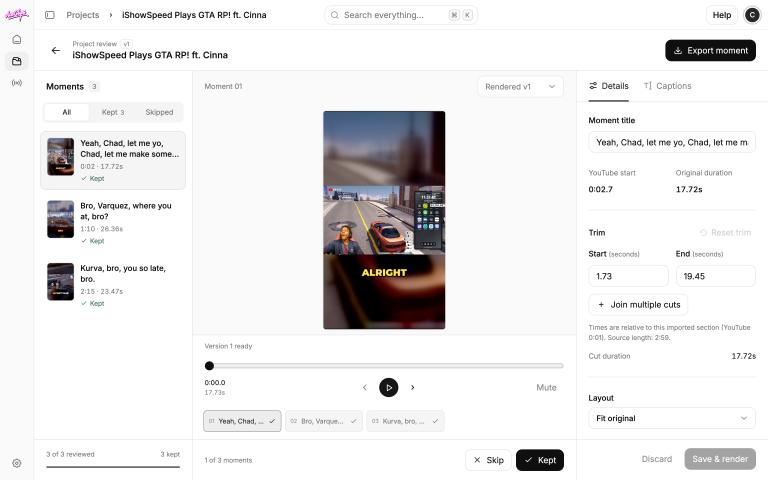
Review and edit your clips
Preview each highlight, trim the cut, edit the captions, and export a vertical video.
Live clipping · Coming soon
Make Shorts while you’re live
Connect gameplay and facecam as separate feeds. ViceClips will find highlights, frame them for Shorts, and publish them to your connected YouTube channel while you’re still streaming.

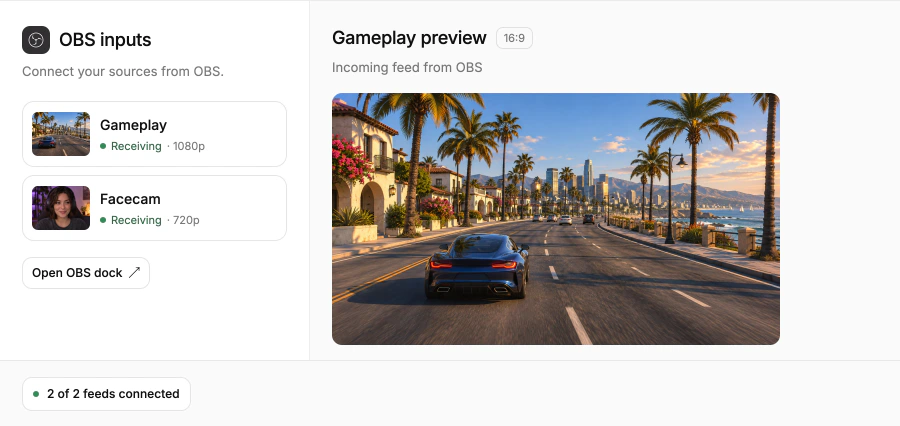
Connect gameplay and facecam
Send both feeds separately so ViceClips can frame the game and your reaction for Shorts.
Fit both feeds into a Short
Stack your facecam above gameplay or place it in a bubble to fit the vertical frame.

Find highlights while you’re live
Gameplay, reactions, and chat activity help surface moments worth clipping as you stream.
Mark a moment in OBS
Use the OBS dock to flag a moment as it happens.
Add captions automatically
Add spoken captions to each Short as it’s made.
Publish Shorts while you’re live
ViceClips will upload Shorts to your connected YouTube channel as your broadcast continues.


YouTube
ViceClips will publish Shorts to your connected YouTube channel while you’re still streaming.
Twitch
Keep broadcasting on Twitch while ViceClips makes Shorts from your highlights.
OBS
Use OBS to send gameplay and facecam as separate feeds so each can be framed for Shorts.
UGC Affiliate Program
Register your interest in the program. If invited, you’ll get $50 in ViceClips credits to create clips and publish them on your channels.
Register for the affiliate program
Leave your email to register your interest.
Step 1 of 5
Get an invite
Accept your invite to activate your affiliate access.
Step 2 of 5
Get $50 in ViceClips credits
Use your credits to create your first clips.
Step 3 of 5
Create clips
Turn highlights from your gameplay into vertical clips.
Step 4 of 5
Publish your clips
Share your highlights as Shorts or other vertical posts.
Step 5 of 5